|
PHYSICAL
|
||||
|
Lower SAR for head
(EU)
|
0.17 W/kg
|
vs
|
0.95 W/kg
|
0.78 W/kg Lower SAR
for head (EU). SAR (Specific Absorption Rate) describes how much radio
frequency energy emitted by the device will be absorbed by your body. The
rate is measured at head level. The legal limit is 2.0 W/kg in the EU.
|
|
Noticeably lower SAR
for body (USA)
|
0.95 W/kg
|
vs
|
1.18 W/kg
|
0.23 W/kg lower SAR
for body (USA). SAR (Specific Absorption Rate) describes how much radio
frequency energy emitted by the device will be absorbed by your body. The
rate is measured at hip level. The legal limit is 1.6 W/kg in the USA.
|
|
Lower SAR for head
(USA)
|
0.23 W/kg
|
vs
|
1.18 W/kg
|
0.95 W/kg Lower SAR
for head (USA). SAR (Specific Absorption Rate) describes how much radio
frequency energy emitted by the device will be absorbed by your body. The
rate is measured at head level. The legal limit is 1.6 W/kg in the USA.
|
|
OS
|
||||
|
Plays Adobe Flash
|
Yes
|
vs
|
No
|
Adobe Flash with
Video and Sound is supported in the device's browser.
|
|
The browser has word
wrap
|
Yes
|
vs
|
No
|
The web browser has
automatic word wrap when zooming, the user can easily read long lines without
scrolling horizontally.
|
|
DISPLAY
|
||||
|
Amply bigger screen
size
|
5.5"
|
vs
|
4"
|
37.5% bigger screen
size. The bigger the screen size is, the better the user experience.
|
|
Higher resolution
|
720 x 1280 px
|
vs
|
640 x 1136 px
|
26.76% Higher
resolution.
|
|
Has a Corning®
Gorilla® Glass display
|
Yes
|
vs
|
No
|
Special glass that
is durable enough to resist many real-world events that commonly cause glass
failure.
|
|
CONNECTIVITY
|
||||
|
Has a radio
|
Yes
|
vs
|
No
|
It works as an FM
radio with included headsets
|
|
Has DLNA
|
Yes
|
vs
|
No
|
It can stream videos
and movies to other devices over-the-air, using the standard DLNA protocol.
|
|
Has USB mass storage
support
|
Yes
|
vs
|
No
|
It can transfer
files, music, photos via USB, no need to install additional software.
|
|
Has an external memory
slot
|
Yes
|
vs
|
No
|
The device has a
standardized external memory slot in order to easily extend the internal
storage with affordable memory modules which can be SD slot, microSD slot,
etc.
|
|
Has NFC
|
Yes
|
vs
|
No
|
Near-field-communication
(NFC) allows wireless transactions like payments.
|
|
CPU
|
||||
|
Faster CPU clock speed
|
4x 1.6 GHz
|
vs
|
2x 1.2 GHz
|
2.67x Faster CPU
clock speed.
|
|
MEMORY
|
||||
|
Way more RAM memory
|
2 GB
|
vs
|
1 GB
|
1 GB more RAM
memory.
|
|
CAMERA
|
||||
|
Has a serial shot mode
|
Yes
|
vs
|
No
|
You can shoot
multiple pictures in a row.
|
|
Significantly more
megapixel (photo, front camera)
|
1.9 MP
|
vs
|
1.2 MP
|
1.58x more megapixel
(photo, front camera).
|
|
POWER
|
||||
|
Noticeably more
battery power
|
3,100 mAh
|
vs
|
1,440 mAh
|
2.15x more battery
power.
|
|
Has a removable
battery
|
Yes
|
vs
|
No
|
The battery is
removable and can be replaced by the user if broken
|
|
Can be charged via
standard USB cable
|
Yes
|
vs
|
No
|
It can be charged
with a standard USB cable with your computer or with USB power supplies.
|
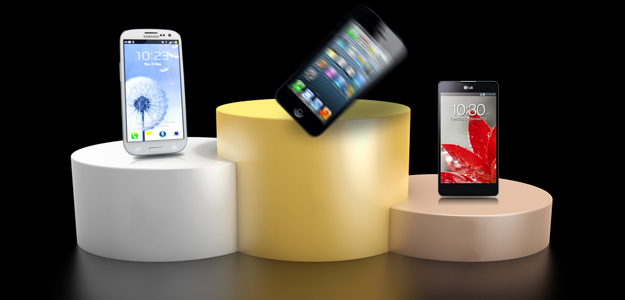
Have you been experiencing any iPhone 5 problems? Join us as we
run through the most commonly reported issues with Apple’s flagship smartphone
and try to find workarounds or solutions.
Apple sold 5 million
iPhone 5 units in the first three days
after release. Considering most of these buyers never saw, held or played with
an iPhone 5 in person, that’s a big leap of faith. While we haven’t seen
any flubs the scale of “Antennagate” this
time around, there have been plenty of complaints about the new smartphone.
Let’s
take a look at the most common gripes people seem to have. While not
necessarily universal or even exceptional in the world of smartphones, these
are the iPhone 5 problems that people have been complaining about the most
online and around the world. Wherever possible, we’ll also let you know how you
can work around these issues or fix them if you’re encountering them as
well.
Apple Maps
It’s
no secret that Apple and Google are no longer exchanging Christmas cards. The
“thermonuclear” war Steve Jobs initiated on the Android platform is far from
over. With iOS 6 and the new iPhone 5, Apple stripped out the Google Maps app
as the default and replaced it with its own Maps app. A flurry of stories in
the days following release focused on mistakes and inaccuracies in Apple’s new
navigation system.

The
data is inaccurate for many places, the app is buggy, and many core features of
Google Maps that people had come to rely on simply don’t exist in Apple’s Maps
app. The fuss in the press got so bad that Apple CEO Tim Cook actually
apologized publicly, and promised the app would improve over time.
Workaround:
There’s no way to fix the Maps app, and no telling how long it will take Apple
to get it right, but in the meantime you can always turn to an alternative.
Here’s a roundup of the best
alternative map apps for iOS. We’ve been
hearing that the Google Maps app for iOS 6 is just around the corner for a
while now, but right now the only way to access it on your iPhone 5 is through
the browser: Point it to maps.google.com.
Scratches on the body
Reports
of the iPhone 5’s anodized aluminum casing getting scratched and scuffed very
easily started to emerge quite quickly after the launch. A number of people
found the coating was easily scratched off around the edges and chipped on the
back panel, revealing the silver aluminum beneath. There were also reports of
iPhone 5 units being scratched right out of the box.
Apple’s
marketing boss, Phil Schiller, responded to an email from a complaining
customer to say, “Any aluminum product may scratch or chip with use, exposing
its natural silver color. That is normal.”
Workaround:
Assuming your smartphone isn’t scratched on arrival then you should invest in a
bumper or go shopping for iPhone 5 cases. If
it does get scratched you could always polish off the coating to create a
silver highlight around the edge or even laser engrave something on the back.
Purple glare on photos
The
camera on the iPhone 5 is supposed to be the best yet, but many users have
reported a strange purple glare. The effect seems to rear its ugly head when
there is a strong edge or out-of-scene light source. The standard lens flare
effect we’re all used to seems to have a purple hue when using the iPhone 5
camera. In direct comparisons with other cameras, such as that on the iPhone
4S, the difference is pretty clear.

Workaround:
Apple released a support document addressing this issue and suggested that,
“Moving the camera slightly to change the position at which the bright light is
entering the lens, or shielding the lens with your hand, should minimize or
eliminate the effect.”
Light leakage
A
few people reported that light was leaking out around the power connector on
the white iPhone 5. It’s not really noticeable unless you are in low light or
dark surroundings, but it is a flaw.
Solution: Show the offending
iPhone 5 at an Apple store and they’ll replace it with a new one.
Rattling from inside
A number
of people reported a rattling noise coming from inside their new iPhone 5 when
lightly shaken. Apparently in the rush to meet demand some iPhone 5 units
shipped with a battery that was not properly set.
Solution: Take your iPhone 5 to
an Apple store and they’ll fix the loose battery or offer you a replacement.
Date and time bug
There
have been several threads in the Apple and Verizon forums about a bug with the
date and time incorrectly updating on the iPhone 5. Some users reported that
the device was losing minutes, but others complained of it being hours out of
sync and even changing the date by several days. The majority of complaints
concern Verizon customers, although there are some complaints from Sprint
customers as well. Many people have suggested it is related to the LTE network,
but neither Apple nor Verizon was keen to take responsibility.
Solution: You can try switching
the update from automatic to manual in Settings > General > Date &
Time. Some people have suggested switching off LTE or resetting the phone, but
there’s no definite fix. If you experience this problem then complain to your
carrier. Some customers suffering from the problem have reported it magically
vanishing so there’s a good chance that Verizon is working on it behind the scenes.
Judging by reports of similar issues from people on Verizon with other phones
it is likely not an Apple problem.
Screen flicker
Reports
of an intermittent screen flicker on the iPhone 5 have also been pretty common.
This glitch most frequently appears on the virtual keyboard in the App Store
when users go to enter their password to purchase an app. It turns up as
flickering lines across the bottom of the screen over the keyboard, but it’s
relatively minor.
Solution: Wait for the next iOS
update because it looks like a software glitch and will likely be fixed when
Apple rolls out a platform update. There’s not really anything you can do about
it in the meantime.
Unresponsive touchscreen
A
few complaints have come in that the iPhone 5 touchscreen is randomly dropping
touch input when a finger is dragged forwards and backwards diagonally across
the display. Some people have even reported a completely unresponsive
touchscreen or the screen going blank for a few seconds. There have also been
complaints about the touchscreen registering touches when the user hasn’t
touched that part of the display. While this doesn’t seem to be a widespread
issue it is clearly a pretty extreme problem. There could be more than one
issue here, some tests suggest the quick swipe failure is an iOS issue, but the
more severe unresponsive or wrongly registering touches problems are likely to
be hardware related.
Solution: If your problem is
severe then take your iPhone 5 to an Apple store and show them the issue and
you’ll get a replacement. You could try resetting or restoring your iPhone 5,
but this is probably a hardware problem and you shouldn’t have any trouble
getting a replacement. If you are experiencing the quick swipe problem then you
may just need to wait for an iOS update.
Other problems
If
you’ve encountered any other iPhone 5 problems or you want to volunteer some
fixes then post a comment. With the severe problems we’ve suggested that you
visit an Apple Store to get them resolved. That’s because this will always be
the quickest way to find a fix or get a replacement phone. If you are unable to
get to an Apple Store then contact customer support, but you can expect to be
asked to run through troubleshooting steps and then have a bit of wait time
before they’ll ship you a replacement.
Read more: http://www.digitaltrends.com/mobile/iphone-5-problems-what-users-complain-about-the-most/#ixzz2JcyMuv9R
Follow us: @digitaltrends on Twitter | digitaltrendsftw on Facebook
|
iPhone 5
|
Samsung Galaxy Note II
|
|||
|
Geekbench 2 Score
|
1648
|
2220
|
||
Comments
Post a Comment